HCI design case study / Conceptual mobile product
Making sustainability a little more rewarding.
Save It! turns everyday sustainable actions into achievable goals, playful rewards, and a garden that grows with your progress.
- UI/UX
- Human–Computer Interaction
- The challenge
- Environmental concern does not always lead to consistent action.
- Design question
- How might we make sustainable habits feel approachable and rewarding?
- The response
- Personal goals, meaningful feedback, a virtual garden, and social motivation.
01 / The question & its foundations
Designing beyond good intentions.
The challenge wasn't to convince students that sustainability matters. It was to make acting on it feel more possible.
Save It! began with a review of research on pro-environmental behavior. Instead of framing sustainable choices mainly as sacrifice, I explored how participation, motivation, feedback, and social influence could shape a more inviting experience.
This academic grounding informed the design hypotheses; it does not establish that the app changes behavior.
Reasonable Person Model
Kaplan, 2000
Environmental action can be encouraged through understanding, participation, and a sense of agency rather than sacrifice alone.
In the experienceAchievable green goals + active participation
SHIFT framework
White, Habib & Hardisty, 2019
Social influence, habit formation, feelings, identity, and tangible feedback can help explain sustainable-consumption behavior.
In the experienceStreaks, rewards + friends' gardens
Behavior-change interventions
Rau et al., 2022
A review of interventions highlights combinations of goal setting, feedback, education, and gamification, among other strategies.
In the experienceOne connected system, not isolated features
Selected academic sources are listed at the end of this case study.
02 / The methodology
A research-informed, iterative process.
Rather than presenting every artifact from the semester, this timeline highlights the methods that changed the design.
Literature review
Behavioral models and existing digital interventions
Exploratory interviews
9 college-age participants, ages 18–25
Concept & wireframes
Green Goals, rewards, garden, social experience
Prototype iterations
Three stages of visual and interaction design
Formative evaluation
3 human reviewers + separate AI critique
Refinement
Navigation, feedback, accounts, and progress visibility
03 / Understanding users
Three barriers kept coming up.
We conducted nine semi-structured interviews with college-age participants, asking about their existing habits, perceived obstacles, environmental priorities, and reactions to an early app concept. The conversations surfaced three recurring themes.
- Interviews
- 9
- Target age range
- 18–25
- Topic areas
- 5
Affordability
Sustainable alternatives sometimes felt more expensive or less convenient than the default.
Accessibility
Participants described limited awareness of local options and gaps in sustainability infrastructure.
Motivation
Individual efforts could feel too small to matter, weakening incentives to change routines.
From insight to intervention
Research became design criteria.
- Make participation manageable
- Offer flexible goals and quick access to common actions.
- Make progress visible
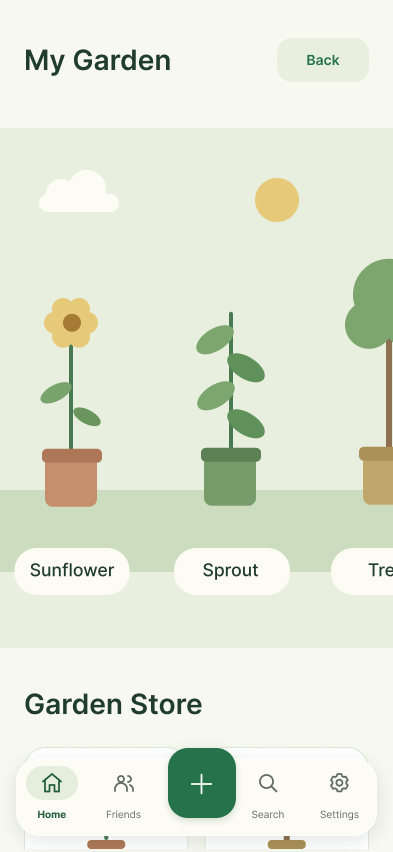
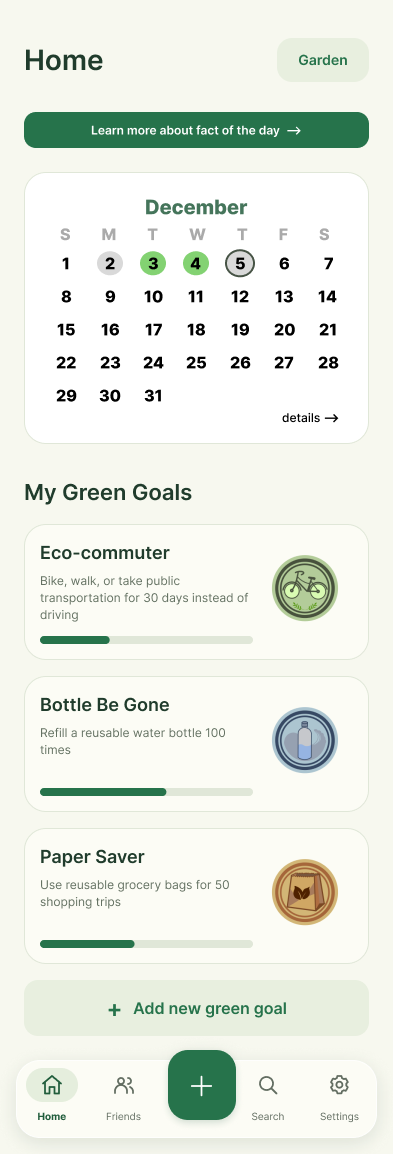
- Show completion, badges, calendar activity, and a growing garden.
- Make it social
- Let users view friends' gardens and share a sense of progress.
- Support discovery
- Make sustainability tips and resources easier to find.
Qualitative themes from a small exploratory sample—not representative population estimates.
04 / Visual evolution
The interface evolved with the questions.
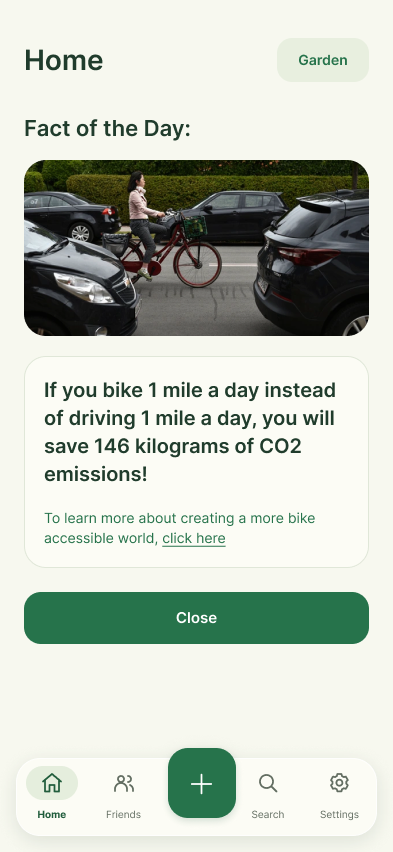
The early prototype established the core goals-and-garden loop. Later iterations added clearer navigation, richer progress information, and more complete supporting flows. The shift is visible in the home screen.
Version 1.0Early direction
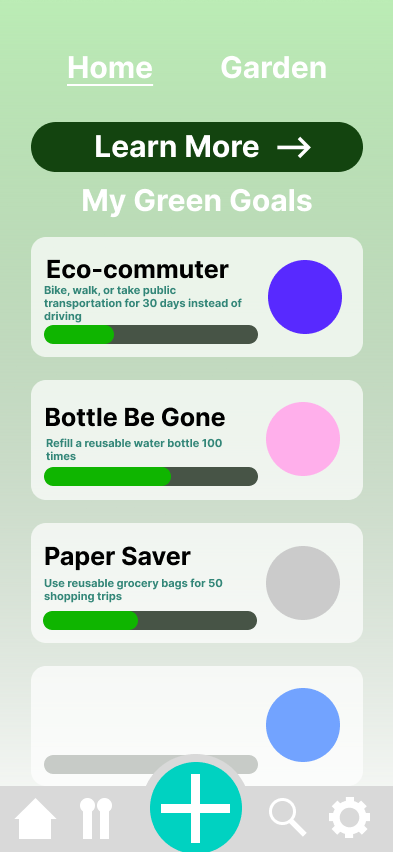
Introduced Green Goals and a simple garden entry, with less developed navigation and progress information.
Version 3.0Refined prototype
Added calendar-based tracking, clearer progress cards, badges, and more structured navigation.
Original, unmodified frame exports from my Figma project. Select a screen to inspect the original design.
05 / The product experience
A small action becomes something worth growing.
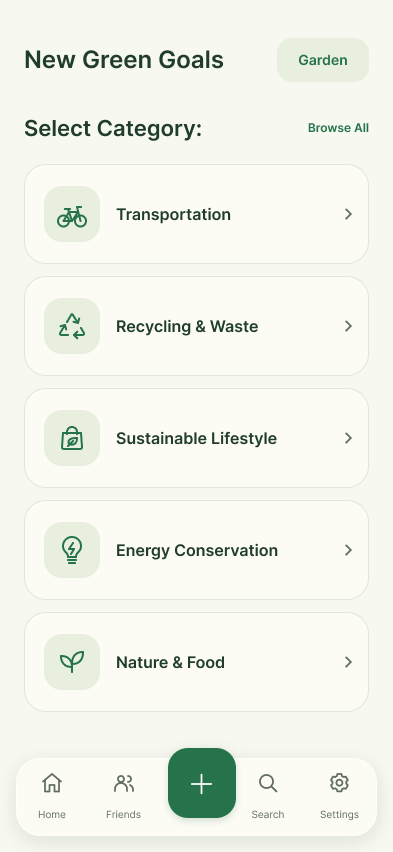
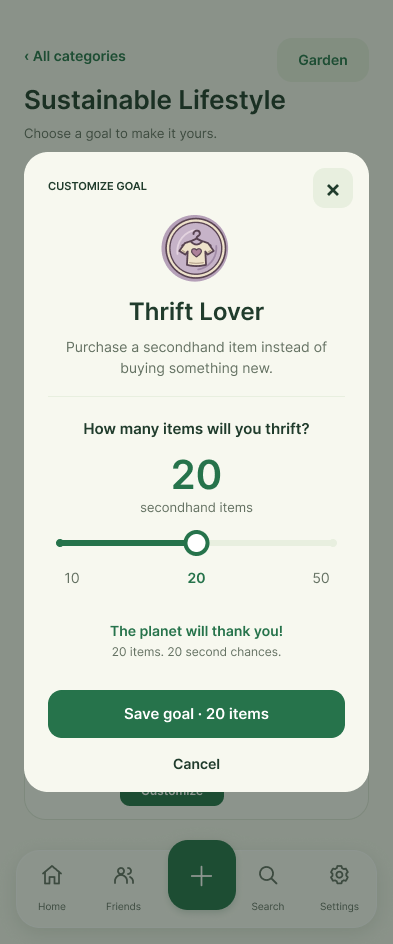
A goal that fits your life.
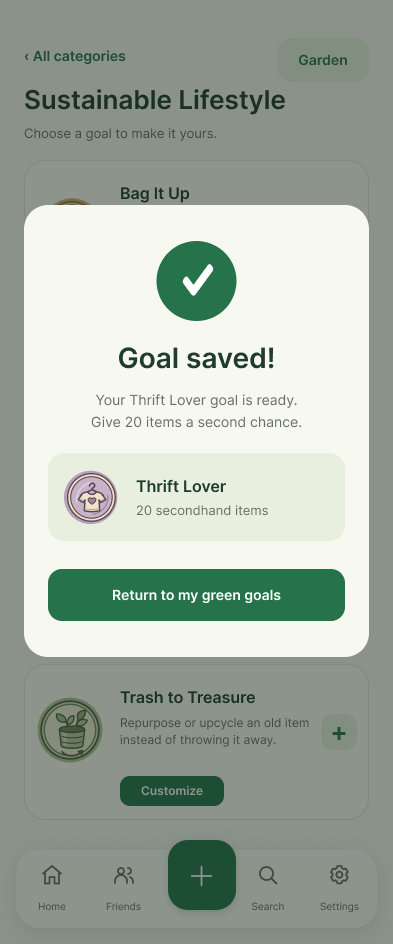
Choose an achievable sustainable action. Adjustable targets keep the experience flexible instead of demanding a one-size-fits-all commitment.
Make progress tangible.
Track accomplishments and translate sustainable actions into rewards that make personal effort visible.
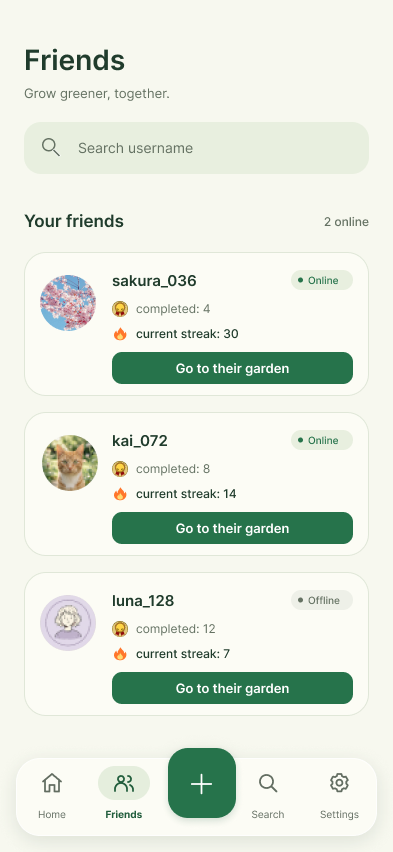
Grow something together.
Use earned Green Energy to personalize a virtual garden; visit friends' gardens for a social dimension to your progress.
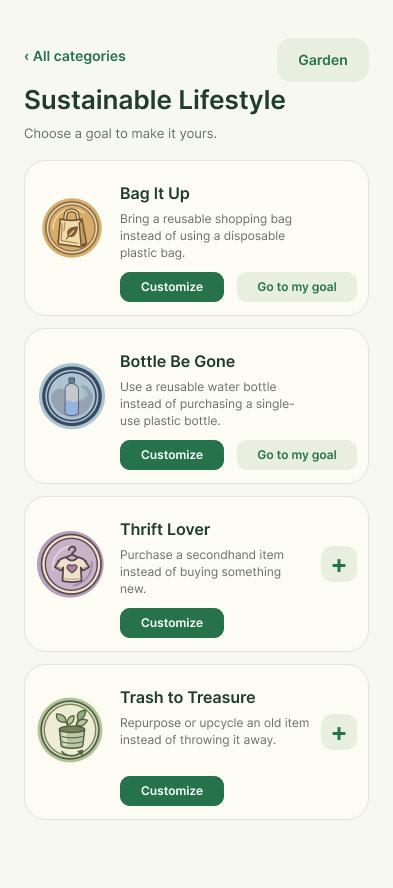
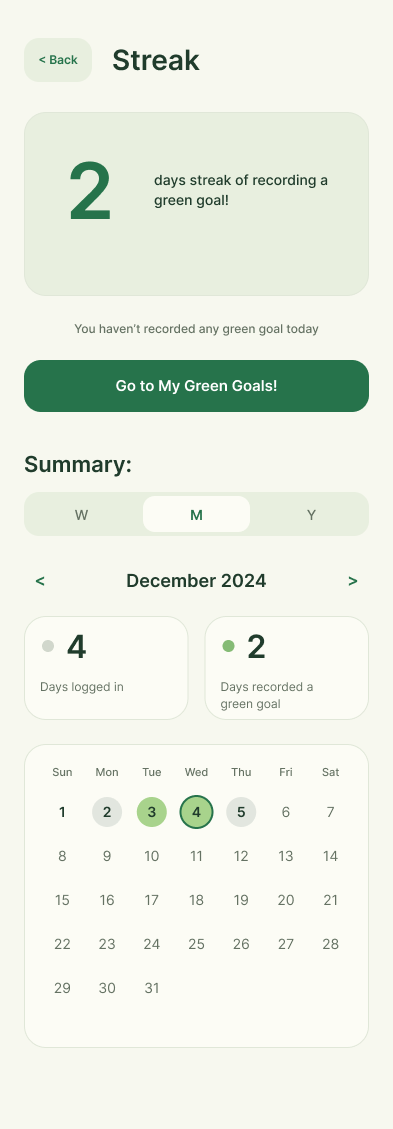
Explore the supporting goal and history screens
06 / Formative evaluation
The feedback was specific. So were the revisions.
Three human evaluators explored the Figma prototype through a guided walkthrough, think-aloud feedback, and heuristic review. Two were HCI classmates and one was an adult interested in environmental sustainability.
A separate AI-based critique used text descriptions and proposed scenarios. It supported reflection but was not a substitute for people using the interface.
- Human prototype evaluators
- 03
- Heuristics prioritized in the review
- 05
- Prominent issues documented
- 04
What we changed
- Observation 01
Past daily facts were hard to revisit.
Design responseAdded a calendar to revisit past facts, view activity, and understand streaks.
- Observation 02
Social profiles felt incomplete.
Design responseMade friends' gardens accessible so progress could be explored socially.
- Observation 03
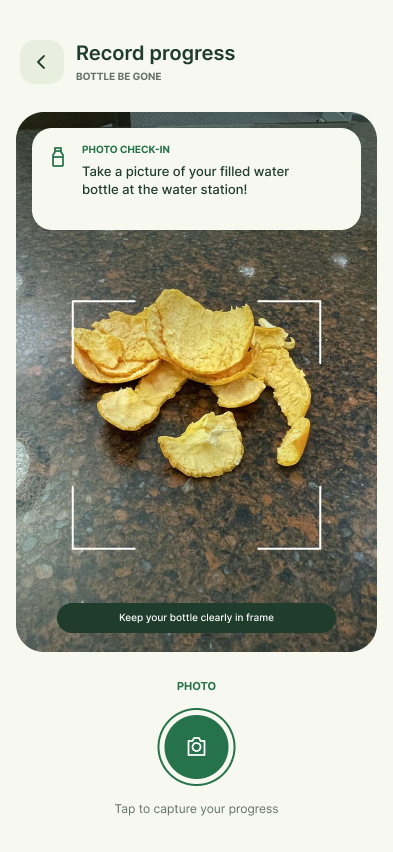
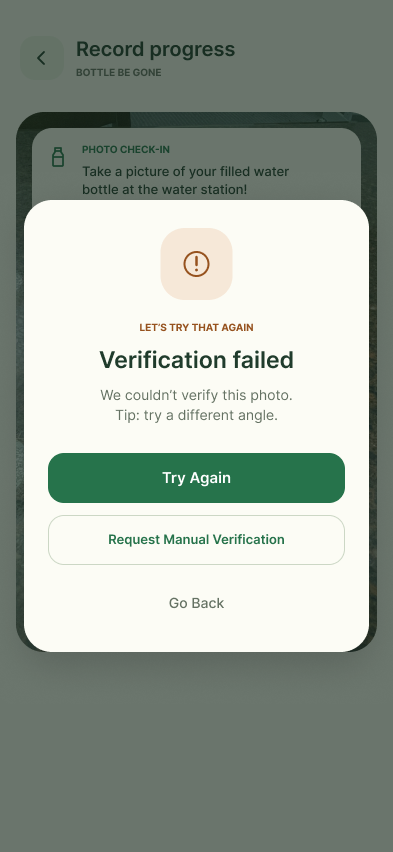
Failed photo verification offered little guidance.
Design responseAdded explicit error feedback, a retry action, and a manual-review request.
- Observation 04
The initial concept lacked account sign-in.
Design responseAdded login and related account settings to make user state more understandable.
A closer look
Helping people recover, not guess.
The revised verification screen illustrates a broader UX principle: when something fails, the interface should explain what happened and provide a clear next step.
07 / Reflection & future work
A thoughtful concept, still to be validated.
Save It! demonstrates a research-informed design process and early evidence about navigation and concept appeal. But a course prototype cannot tell us whether the rewards would sustain habit changes over weeks or months.
Next, I would test the experience with a broader user group, conduct an accessibility review, examine long-term engagement, and evaluate the practical reliability of photo verification.
What the project demonstratesFrom behavioral theory to interview insights to iterative interface design.
Selected academic references & sources
Research referenced in the course report, with original project and screen credits.
- Kaplan, S. (2000). New ways to promote proenvironmental behavior: Human nature and environmentally responsible behavior. Journal of Social Issues, 56(3), 491–508. (opens in a new tab)
- White, K., Habib, R., & Hardisty, D. J. (2019). How to SHIFT consumer behaviors to be more sustainable: A literature review and guiding framework. Journal of Marketing, 83(3), 22–49. (opens in a new tab)
- Rau, H., Nicolai, S., & Stoll-Kleemann, S. (2022). A systematic review to assess the evidence-based effectiveness, content, and success factors of behavior change interventions for enhancing pro-environmental behavior in individuals. Frontiers in Psychology, 13, 901927. (opens in a new tab)
- Save It! class project report — research, design process, and formative evaluation. (opens in a new tab)
- Save It! original Figma design — source of the prototype and interface frames. (opens in a new tab)
08 / Explore the original prototype
Experience the Design
Explore the original Save It! prototype below. Choose a Green Goal, follow your progress, and visit the garden to experience the design and its transitions at your own pace.